Security · 7 min read
WordPress Security Flaw: Why Updating Was the Risk

Oasis Web Services
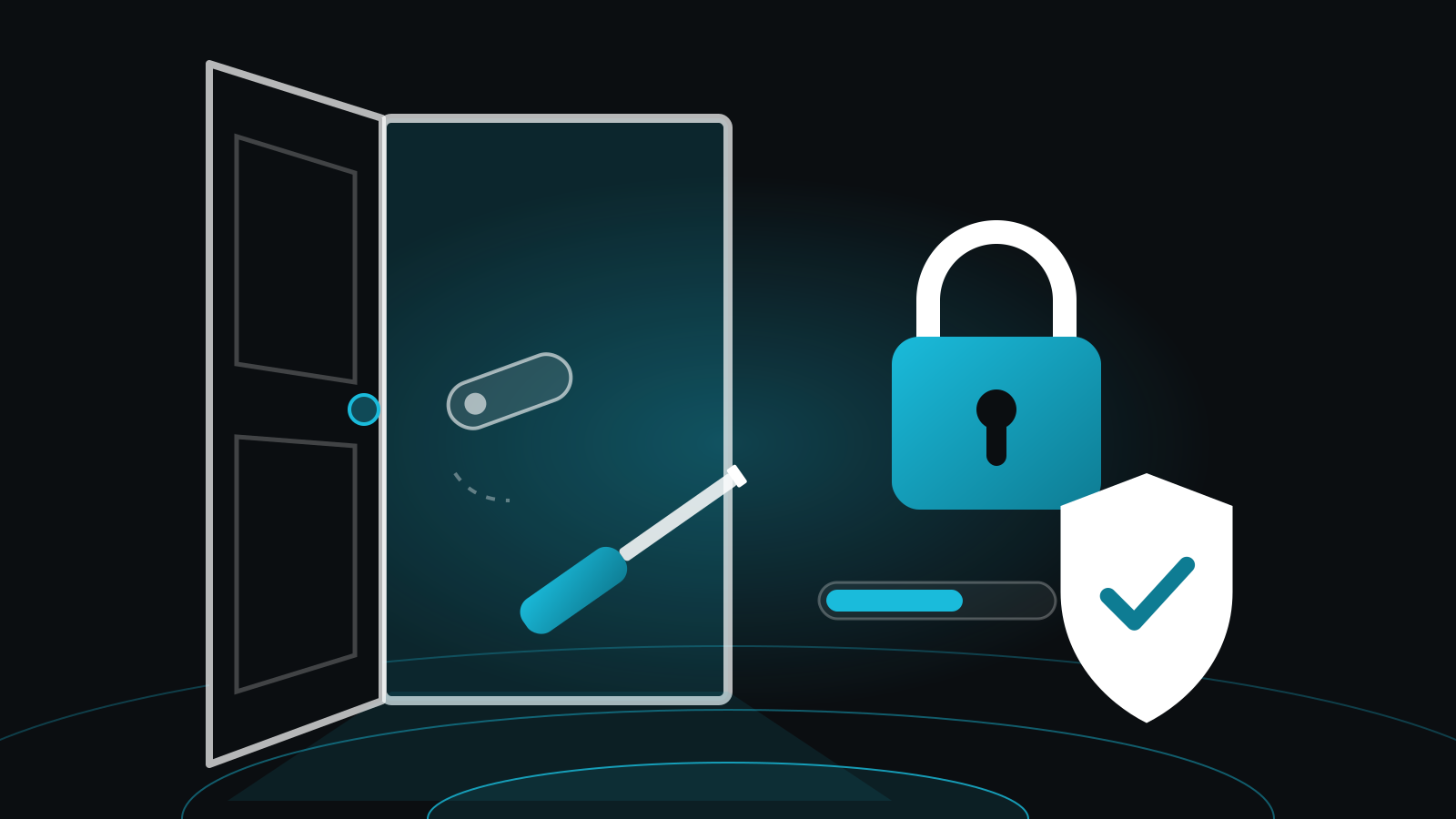
Picture a locksmith swapping the lock on your front door. Sensible. Now picture the door hanging wide open for a few seconds mid-swap, with a stranger lurking outside who knows exactly when that moment comes.
That's roughly what's happening with this WordPress security update vulnerability. The process meant to protect your site (updating WordPress) is the very moment it's exposed. Here's what happened, whether it affects you, and what to check this week. Where a technical term turns up, we'll explain it.
What is the WordPress security update vulnerability?
It's a security hole in WordPress itself that lets someone with no login run their own code on your web server while a core update is in progress. It's tracked as CVE-2026-119977 (think of that as its parcel tracking number) and scored 8.1 out of 10 for seriousness on the standard CVSS scale (eSecurity Planet, 2026 (opens in a new tab)).
How does it work? During a full update, WordPress briefly puts the new files in temporary folders with predictable names. Those folders can be reached over the web. If an attacker reaches them at exactly the wrong moment, they can run their own code on your server.
The window is narrow. Wordfence, a WordPress security firm, found it lasted only seconds in lab testing, so attackers kept trying until they caught it (eSecurity Planet, 2026 (opens in a new tab)). WordPress's own advisory rates the flaw Low, which ThreatDefence puts down to how hard the race is to win (ThreatDefence, 2026 (opens in a new tab)).
Hard to win isn't impossible, though. CISA, the US cyber agency, added the flaw to its Known Exploited Vulnerabilities catalogue (opens in a new tab) on 3 November 2026, which means exploitation is known. How many sites have actually been hacked is less clear. No need to panic. Plenty of reason to check.
Does it affect my website?
It does if your site runs WordPress. This is a flaw in WordPress core (the main engine, as opposed to plugins and themes), so sites on other platforms aren't hit by this particular bug.
On WordPress, sources name every unpatched release from 4.7 through 7.1.3 as affected. WordPress released the main fix, 7.1.4 (opens in a new tab), on 28 October 2026, and older version families have their own patched releases. Match the fix to your version family. On 6.9? You want 6.9.11, not 7.1.4.
Two awkward cases. Anything on WordPress 4.6 or earlier is vulnerable too and received no fix, so it needs moving to a supported version (Cloud Security Alliance, 2026 (opens in a new tab)). And if your host manages WordPress for you, ask which version is running and when it was installed.
One more thing. This is separate from the Bricksforge plugin flaw, which exposed WordPress sites to code execution without a login (eSecurity Planet, 2026 (opens in a new tab)). Updating a plugin doesn't fix core, and updating core doesn't fix your plugins.
Why is the update the risky bit?
The update is risky because the flaw only opens while WordPress is swapping its own files. The door is only ajar mid-swap, but that's all it takes.
That means a site that updated while still vulnerable may have been exposed at that moment, so your server logs (your host's diary of who knocked and when) from around then matter. Even the update that installs the fix uses the old process, so experts advise blocking public access to the temporary upgrade folder before you update, not after (Cloud Security Alliance, 2026 (opens in a new tab)).
Does that mean you should avoid updating? Absolutely not. The UK's National Cyber Security Centre advises updating by default, as soon as possible and ideally automatically (NCSC (opens in a new tab)). It just means treating "updated" as something you confirm, not something you assume.
What should I do now?
Check your version, block the upgrade folder, update, then confirm it worked. Here are all six steps, in order:
- Find your version. Log in to WordPress and look under Dashboard, then Updates. Not sure? Ask whoever built or hosts your site.
- Check the upgrade folder. Type your web address followed by
/wp-content/upgrade/into a browser. "403 Forbidden" (the web's polite way of saying "keep out") means it's blocked. Anything else, whether a list of files, a blank page or a "404", is a job for your developer or host to verify and fix today. - Update. Once the folder is blocked, move to the patched release for your version family.
- Confirm it finished. Don't assume automatic updates worked. Check the version number afterwards.
- Update plugins and themes separately. Core, plugins and themes each need their own patching.
- Ask your host for details. Which version is running, when it was installed, and whether they can check for signs of attack.
How can I tell if my site has been tampered with?
Look for things that shouldn't be there: unfamiliar administrator accounts, unexpected PHP files (the code files WordPress runs on) or changed settings.
Your host or developer can also check server logs for requests to the temporary installer files under wp-content/upgrade, especially one called setup-config.php. A suspicious request on its own doesn't prove you were hacked.
If you do find signs, keep copies of your logs, files and database before changing anything, and get a professional involved before deleting files. Rather than patching over the top, ask for a rebuild from a known-good copy, and have any other sites on the same server checked too (ThreatDefence, 2026 (opens in a new tab)).
What this teaches us
It teaches us that updates need proof, someone has to own them, and being small doesn't make you invisible. Three lessons, none of them glamorous.
"Updated" needs proof. A tick in a dashboard isn't the same as a confirmed version number.
Someone has to own it. A sensible first job is listing every WordPress site you run and who looks after each one. If the answer's "nobody", that's your real problem.
Small doesn't mean invisible. Attackers hunting for a weak spot don't check your turnover first. The UK government's Cyber Security Breaches Survey 2025/26 (opens in a new tab) found that 43% of UK businesses, around 612,000 firms, had a breach or attack in the past year.
For the bigger picture, our plain-English guide to web application security covers the habits that stop most attacks, and our post on PHP2Shell shows how the same lessons played out last month.
FAQ
Is my WordPress site hacked if I already updated?
Not necessarily. Installing the fix doesn't show what an attacker did beforehand, and the update itself still runs the old process, so block the upgrade folder first. Then ask your host to check for unknown admin accounts, unexpected files and server logs from around your last update, even if you're now fully patched.
Which WordPress version fixes CVE-2026-119977?
WordPress 7.1.4 is the main fix, released on 28 October 2026. Older version families have their own patched releases, which Wordfence lists as including 7.0.8, 6.9.11, 6.8.12 and 4.7.39. If you're on 4.6 or earlier, no fix is coming, so you'll need to move to a supported version. Ask your host or developer if you're unsure.
Should I switch off automatic updates?
No. Official UK guidance is to apply updates as soon as possible, ideally automatically. The answer to this flaw is to check that updates really finished and that the upgrade folder is blocked, not to stop updating. Switching updates off just leaves known flaws open for longer.
Does updating my plugins fix this?
No. This flaw sits in WordPress core, the main engine, not in plugins or themes. Updating plugins won't fix it, and updating core won't fix a vulnerable plugin. Check the Plugins and Themes screens for pending updates too, and patch all three separately. Your developer or host can confirm nothing's been missed.
Want this done for you?
Checking versions, blocking folders and combing through logs is nobody's idea of a fun Thursday. That's where we come in. Whether your site runs WordPress or something else, our maintenance plan keeps it patched, backed up and watched, so you can get back to the day job.
Get a free quote and we'll take a look.
Sources
- CISA Confirms Exploitation of WordPress Core Upgrade Flaw (opens in a new tab), eSecurity Planet, 4 November 2026
- WordPress Vulnerability Lets Attackers Strike During Updates (opens in a new tab), LinuxSecurity
- When Patching Is the Attack Window: WordPress CVE-2026-119977 (opens in a new tab), Cloud Security Alliance
- WordPress CVE-2026-119977: Hunting the 7.1.4 Upgrade RCE (opens in a new tab), ThreatDefence
- WordPress 7.1.4 security release (opens in a new tab), WordPress.org, 28 October 2026
- Known Exploited Vulnerabilities Catalog (opens in a new tab), CISA
- Put in place a policy to update by default (opens in a new tab), National Cyber Security Centre
- Cyber security breaches survey 2025/2026 (opens in a new tab), GOV.UK